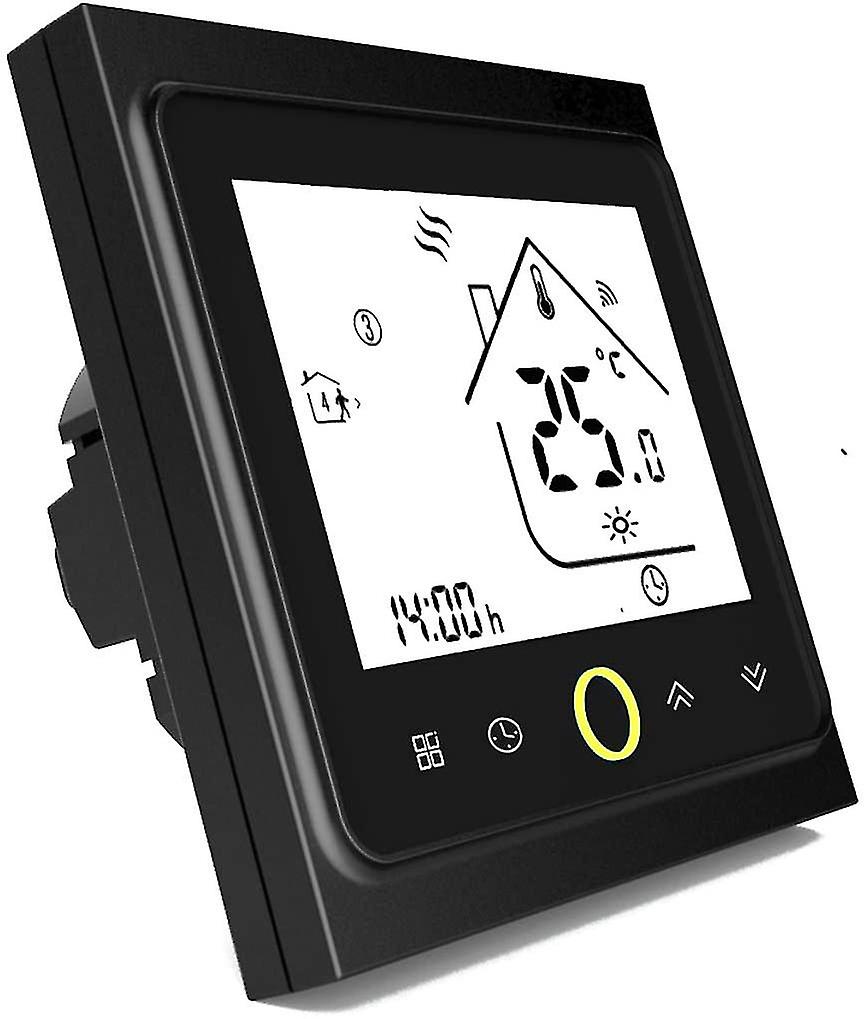
Wifi Thermostat For Gas/water Boiler,smart Thermostat Lcd Display (tn Display) Backlit Touch Button Programmable With Alexa Etc And Phone App-black

€ 109,00
+ € 5,99 Shipping

Wifi Thermostat For Gas/water Boiler,smart Thermostat Lcd Display (tn Display) Backlit Touch Button Programmable With Alexa Etc And Phone App-black

  • Brand: Unbranded
Sold by:

Wifi Thermostat For Gas/water Boiler,smart Thermostat Lcd Display (tn Display) Backlit Touch Button Programmable With Alexa Etc And Phone App-black

  • Brand: Unbranded

€ 109,00

In stock
+ € 5,99 Shipping
Sold by:

€ 109,00

In stock
+ € 5,99 Shipping

We accept the following payment methods

Description

Wifi Thermostat For Gas/water Boiler,smart Thermostat Lcd Display (tn Display) Backlit Touch Button Programmable With Alexa Etc And Phone App-black

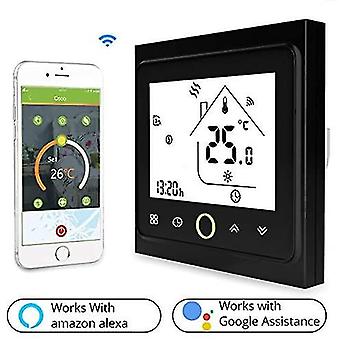
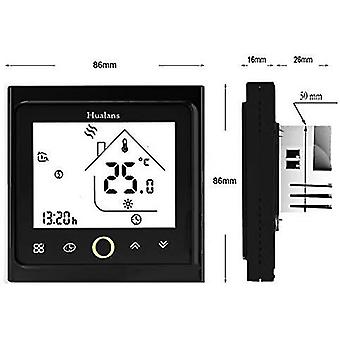
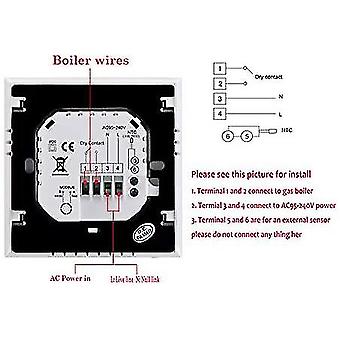
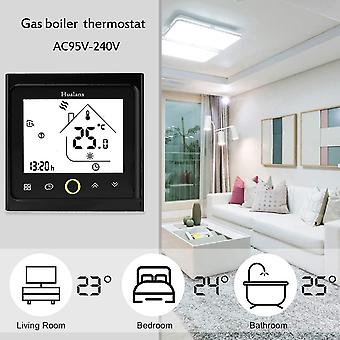
About this item 1. Compatible with gas or water boilers: check before purchase. No 5G support 2. Smart WiFi Control with APP: Check the device and adjust the temperature within the desired range to keep your home warm before it arrives. 3. Energy saving: 5+1+1+1 6 programmable time periods (adjustable for each period and for it a specific temperature): works automatically for a significant energy saving. 4. Backlit LCD display with touch keys: Adjustable directly with your fingers, easy to read even in the dark. 5. Works with Amazon Alexa and Google Home (NO Google Assistant): You can control it from anywhere in your home with your voice. Product Description Compatible only with gas boiler This thermostat is used to control the domestic temperature by regulating the access and shutdown of the gas boiler to maintain the temperature in the desired range. Adjustable with mobile app, alexa and google home. When the thermostat detects a temperature higher than that set, it sends the impulse to turn off the boiler which will send hot water to the radiators. When the thermostat detects a temperature lower than the set one, it sends the impulse to switch on the boiler which will send hot water to the radiators. Control via google home or alexa makes it especially appealing to young people Easy to install 1. Terminals 1 and 2 connect to the gas boiler 2. Terminals 3 and 4 connect to the AC95-240V power supply (if the wires are missing, it takes current) 3. Terminals 5 and 6 are for an external sensor please don't link anything here How to regulate temperature Room temperature is incorrect, how to adjust? Turn off the thermostat, simultaneously press and hold the first button on the left for 5 seconds to enter the system function. Then press to scroll to the first key on the left. It chooses Code: 1 Function: temperature compensation from -9 to 9 degrees (via high and low adjust them) How to connect 2.4GHz Wi-Fi To activate WIFI it must remain off, then hold the first button on the right for about eight seconds and it begins to flash, configure with applications and activate both your WIFI and your mobile phone with your ruter password. Which app works? Works with app: smart life-sTuya, my becasmart
  • Fruugo ID: 159027436-337312267
  • EAN: 9056692087448

Product Safety Information

Please see the product safety information specific to this product outlined below

The following information is provided by the independent third-party retailer selling this product.

Product Safety Labels

CE Mark
Safety Warnings: Not suitable for children under 36 months

Delivery & Returns

Dispatched within 24 hours

  • STANDARD: € 5,99 - Delivery between Wed 17 December 2025–Thu 25 December 2025

Shipping from China.

We do our best to ensure that the products that you order are delivered to you in full and according to your specifications. However, should you receive an incomplete order, or items different from the ones you ordered, or there is some other reason why you are not satisfied with the order, you may return the order, or any products included in the order, and receive a full refund for the items. View full return policy